Every bug, feature request,
and task — captured and tracked
Your clients annotate the live site. Your team reports from Slack. Emails become cards. AI triages everything. Loop keeps it all moving on one board.
Clients click, you see
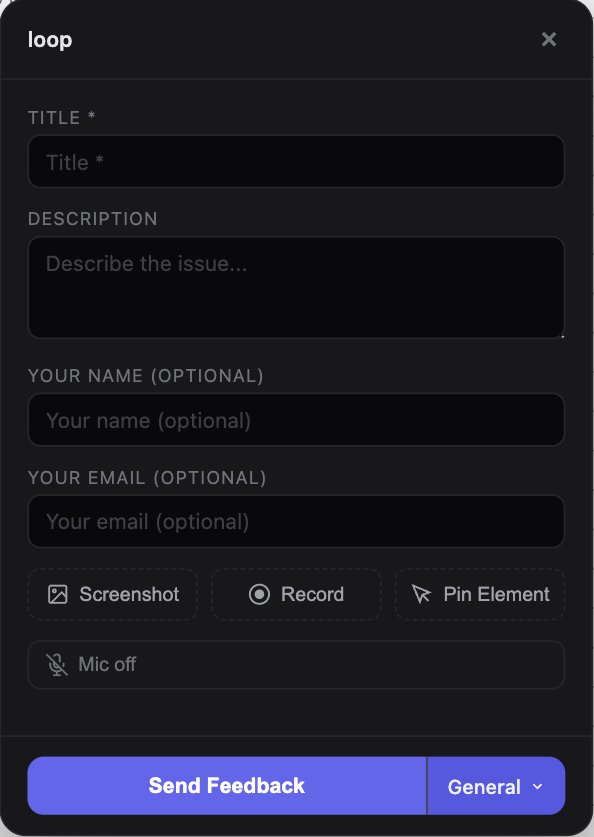
A lightweight widget sits on your site. Clients click anywhere to annotate, pin a note, or attach a screenshot. You see exactly what they see — no back-and-forth.
Record the full story
One-click screen recording from the widget. Your client walks you through the issue on camera. No extensions, no installs, no friction.
Every channel, one board
Widget feedback, Gmail threads, and Slack messages all land as cards on your kanban board. AI sorts each one as a feature, bug, or task.
Every client gets their
own space.
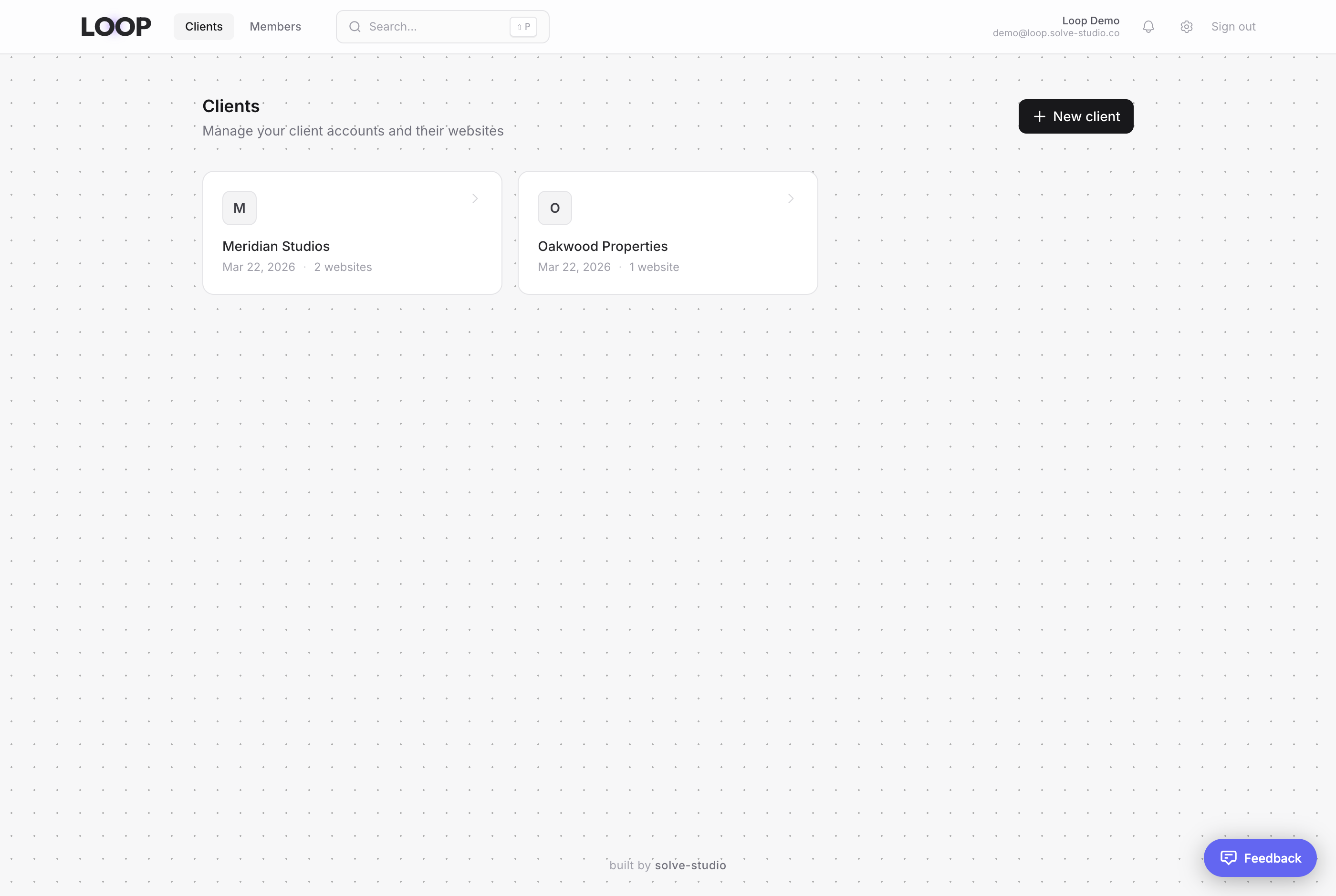
Dedicated client spaces
Each client gets their own space with dedicated projects. Website feedback, task boards, and integrations all live under the same roof — no more jumping between tools or losing context.
Track everything on your board
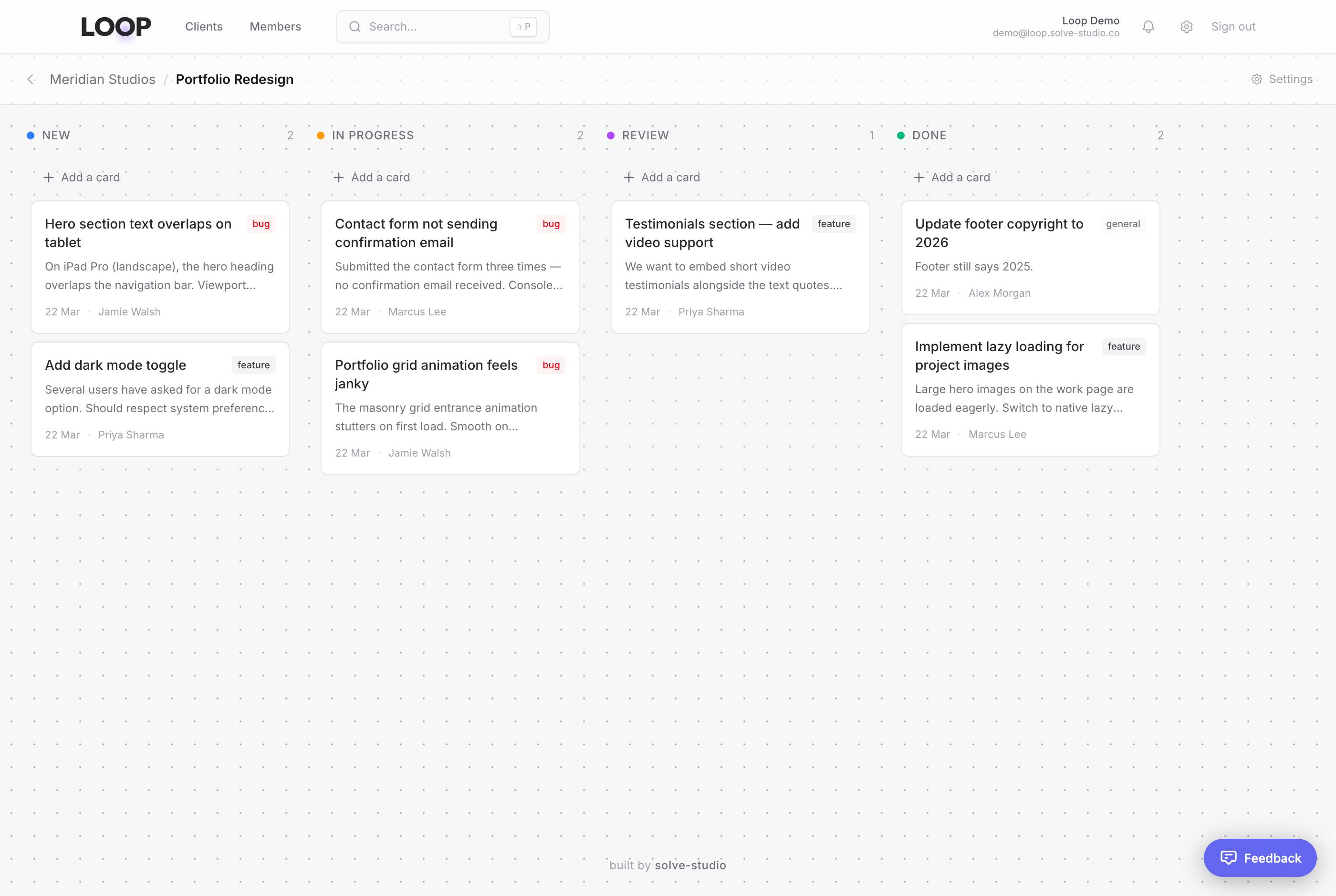
Every piece of feedback — from the widget, Gmail, or Slack — lands as a card on your kanban board. Drag between columns, assign team members, and track progress from new through to done.
Discuss and resolve
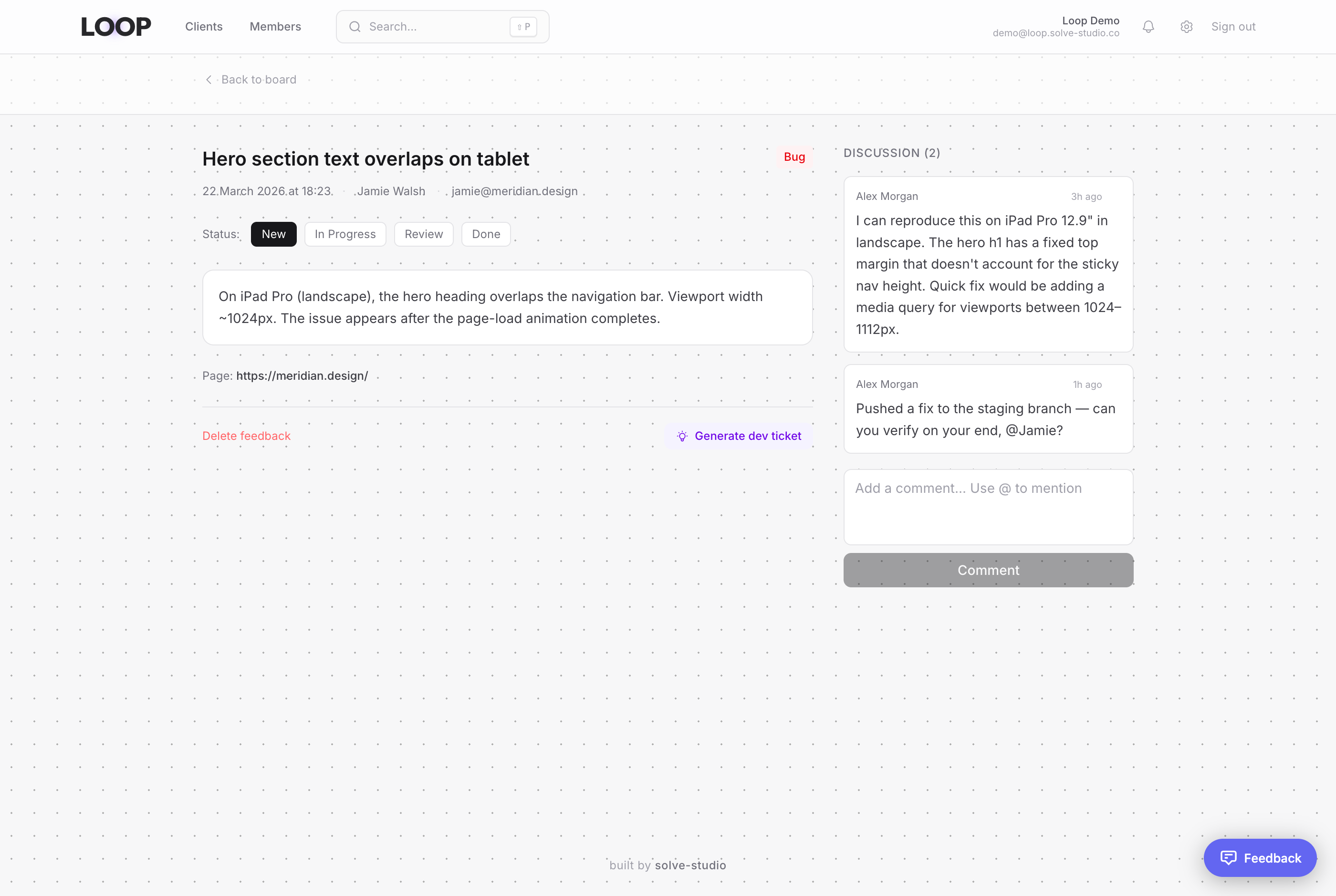
Open any card to see the full picture — description, page URL, screenshot, status, and label. Your team discusses in a threaded conversation right alongside the detail. Move the status forward and close the loop.
Bring feedback in
from everywhere.
Connect the tools your team already uses. Gmail threads and Slack conversations become actionable board cards — triaged by AI, ready to track.
Gmail Integration
PROTurn client emails into board cards. Connect your Gmail, create labels for clients or projects, and map them to board columns. AI triages each thread into typed cards — feature, bug, or task — with clear titles and descriptions.
Slack Integration
PROSubmit feedback with /loop-feedback or turn any thread into a board card with /card. Attach screenshots, videos, and voice notes. AI triages each submission into typed cards on your board.
AI-Powered Triage
Every item is automatically classified as a feature, bug, or task. Multiple cards extracted from a single conversation.
Daily Summaries
Personalised daily emails for every team member. Clients see progress; your team gets a breakdown of bugs, features, and chores.
Voice Transcription
Voice notes from Slack are transcribed automatically. Transcriptions appear on cards and in daily summaries.
Custom Forms
Structured feedback collection with built-in or custom forms. Assign different forms to different Slack channels.
Know what to
work on next.
The AI Triage sidebar analyses every new feedback item and ranks them by perceived priority. Bugs that block users float to the top. Low-impact polish sinks to the bottom. Your team always knows where to focus.
Smart priority
AI ranks items as critical, high, medium, or low
Assigned to me
Your personal queue, separate from unassigned work
One-click claim
Claim unassigned items directly from the sidebar
Cached results
AI only runs when new items are added — no wasted tokens
Login fails on Safari 18
Acme / Portal
Dashboard charts not loading
Acme / Portal
Add export to PDF option
Bolt / Website
Webhook delivery retries
Bolt / API
Update footer copyright year
Acme / Website
One script tag.
Instant feedback.
Paste a single snippet before your closing body tag. The widget loads asynchronously — zero impact on page speed. Your clients can annotate pages, record their screen, and pin specific elements without leaving the browser.
Every report includes the page URL and full visual context. No more “can you send a screenshot?”
Built API-first.
Designed for automation.
Loop exposes everything through a public REST API and an MCP server. Pipe feedback into your workflow - or let your AI agents do it for you.
Public REST API
Full CRUD over projects, feedback items, comments, boards and clients. Authenticate with an org-scoped API key and integrate with any stack.
MCP Server
A Model Context Protocol server that lets AI coding agents read and create feedback, manage boards, and triage tickets natively inside their workflow.
Agentic Ticket Creation
AI agents can programmatically create, categorise, and assign feedback items. Close the loop between your codebase and your users.
Pricing
Every account starts with a 7-day free trial of the Business plan. No card required.
Starter
For individuals getting started
- 1 team seat
- 2 projects
- 100 feedback items/mo
- 500 MB storage
- Screenshots & annotations
Pro
For growing teams
- Unlimited team seats
- 10 projects
- 1,000 feedback items/mo
- 5 GB storage
- IntegrationsGmail integration
- GitHub Issues sync
- Slack integration
- AI-powered triage
- AI priority sidebar
- Daily email summaries
- Screen recording
- Developer API & MCP
Business
For agencies and studios
- Unlimited team seats
- Unlimited projects
- Unlimited feedback
- 50 GB storage
- IntegrationsGmail integration
- GitHub Issues sync
- Slack integration
- AI-powered triage
- AI priority sidebar
- Daily email summaries
- Custom feedback forms
- Screen recording
- Existing task management migration
- Custom widget branding
- Developer API & MCP
How do I install the feedback widget?
Add a single script tag to your site. The widget loads asynchronously and won’t affect page performance. You get a project-specific snippet from your dashboard — paste it before the closing </body> tag and you’re live.
What’s included in the 7-day trial?
Every new account starts on the Business plan with full access to all features — Gmail and Slack integrations, AI triage, custom forms, screen recording, API access, and unlimited projects. No credit card required. When the trial ends you can choose a plan or stay on the free Starter tier.
How does the Gmail integration work?
Connect your Gmail account via OAuth in Settings. Create Gmail labels for your clients or projects and map each label to a board column. When you label an email, Loop’s AI reads the thread and creates typed cards (feature, bug, task) with titles and descriptions. Sync happens on demand or automatically.
Can my team submit feedback from Slack?
Yes. Install the Loop Slack app, then use /loop-feedback to open a structured form or /card on any thread to turn the conversation into a board card. Attachments like screenshots, videos, and voice notes are supported. AI triages each submission into typed cards on your board automatically.
How does per-seat pricing work?
You’re billed for each team member in your organisation. Client accounts that only submit feedback are free and don’t count towards your seat total. You can add or remove seats at any time and billing adjusts automatically.
Can I import from Trello or other tools?
The Business plan includes task management migration support. You can import boards, cards, and attachments from Trello. If you use another tool, the REST API lets you script a migration from any source.
Is there an API?
Loop exposes a full REST API covering projects, feedback items, comments, boards, and clients. Authenticate with an org-scoped API key. There’s also an MCP server for AI coding agents — install it with npx @loop-feedback/mcp.
Feedback from your site, Gmail, and Slack — all on one board. Triaged by AI. Tracked to done.